Shopify Advanced Reports
The Shopify Advanced Reports in Whatsdash provides a quick overview of your shopify account status, store performance, and recent activities. It’s your starting point to stay informed about reports, integrations, and key metrics.
📟 Highlights
Quickly view your store’s overall performance across key
metrics, organized in easy-to-read tabs.
You’ll also see the most recent data refresh time, ensuring your
insights are always up-to-date.

📜 Recent Activities
Track the most recent actions performed in your
Whatsdash account.
Activities are listed in descending order, ensuring your latest
activity appears first.

💼 Reports
Access, manage, and customize all your saved reports in one
place.
You can search, edit, schedule, or mark reports as favorites for
quick access anytime.

👉 For learn more click on Reports!!
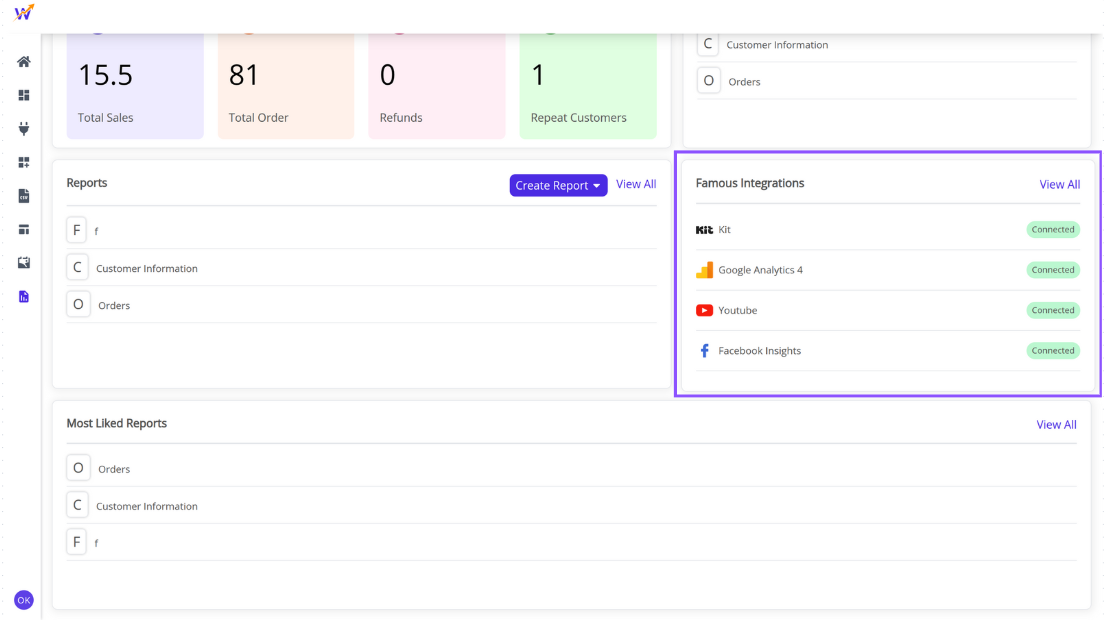
🤝 Famous Integrations
Discover trending third-party app integrations among
Whatsdash users. You can also check whether
your account is connected to these apps.
👉 Click View More at the bottom to open the
Integrations page.
💥 Most Liked Reports
Discover which reports are most frequently accessed by
Whatsdash users.
This section automatically highlights the reports you open most
often, helping you quickly access your top insights.
👉 Click View All at the bottom to explore the complete Most Liked Reports list, or click Create Report to build a new one.
