Harvest
Harvest is a leading time tracking and invoicing software that helps businesses accurately track time, manage project budgets, and streamline the client billing process. It provides comprehensive reporting to give you a clear view of your team's utilization and project profitability.
Why Connect Harvest to Whatsdash?
Integrating your Harvest data with Whatsdash transforms raw time logs into visually clear, actionable business insights, making it simple to manage project profitability, team efficiency, and client invoicing.
-
Simplified Reporting & Dashboards : Get instant, visual reports using pre-built templates to monitor billable hours, project budget utilization, and uninvoiced revenue without manually running reports in Harvest.
-
Custom Metrics & Granular Control : Go beyond standard reports by creating custom visualizations and custom metrics to analyze time duration, cost rates, and profitability based on team members, clients, and tasks.
-
Data Blending & Cross-Channel Analysis : Combine granular Harvest time entry and expense data with financial, CRM, and other operational data from other sources to understand the true cost and ROI of your projects.
📋 Steps to Integrate your Harvest account to Whatsdash
✔️ Navigate to the 'Integrations' page using the Navigation bar.
✔️ Select Harvest from the Available Integrations.

✔️ Click the "+" button to open the authorization window.
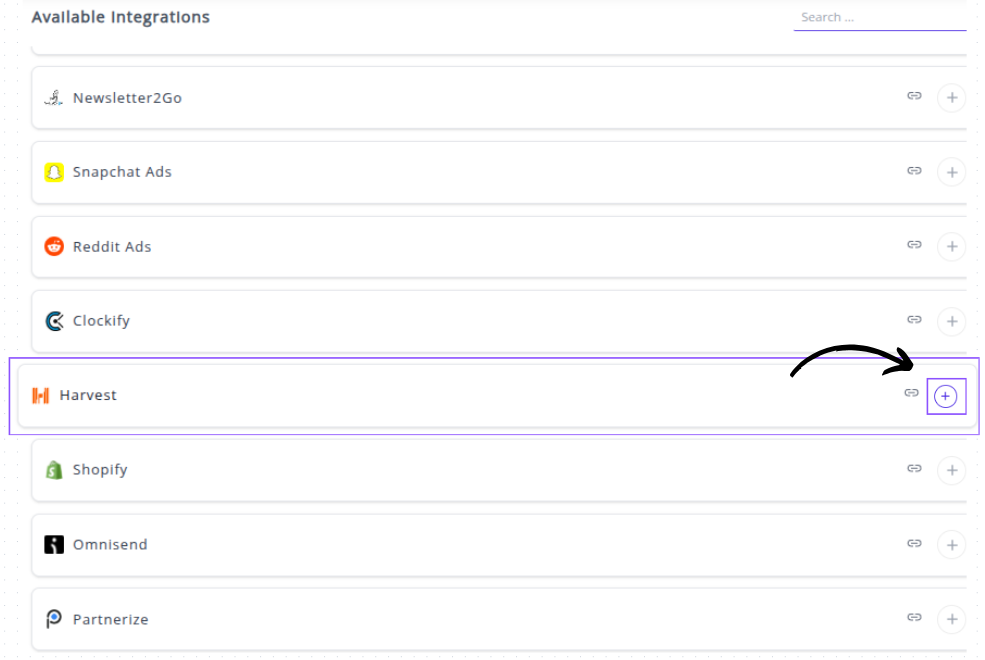
Note: Harvest uses a secure OAuth 2.0 connection, which will redirect you to the Harvest login page.
✔️ You will be redirected to the Harvest login page.
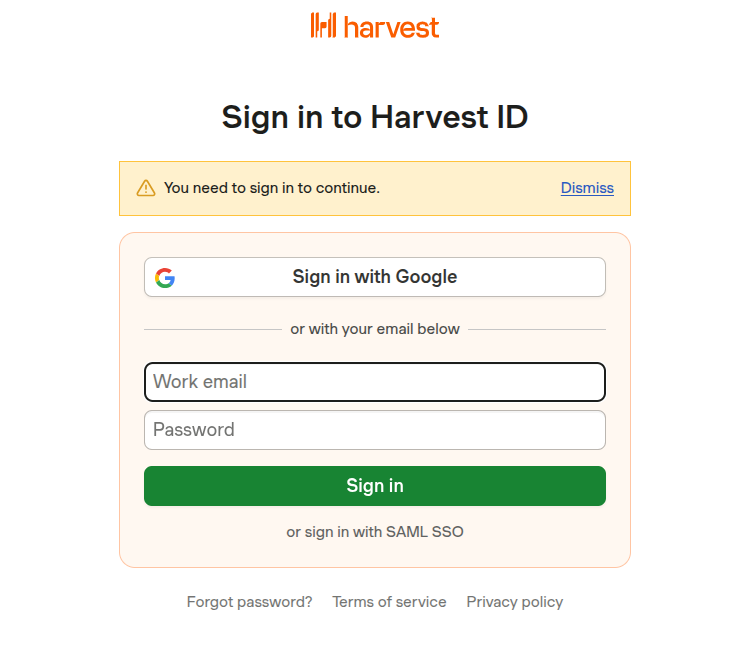
- Enter your Email Address and Password for your Harvest account.
- Click Log In.
✔️ Once authenticated, you will be directed back to Whatsdash. Your Harvest Integration will appear in the Connected Integrations list.
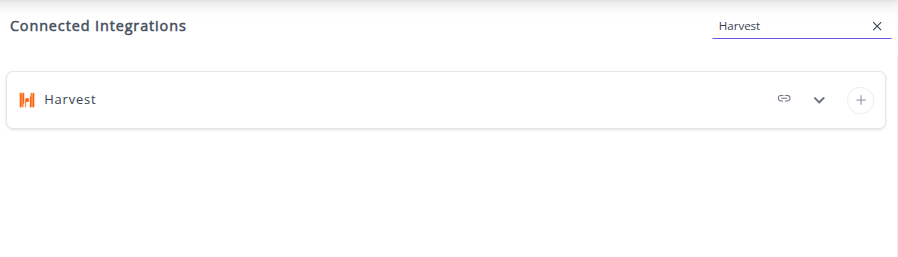
✔️ You can now create or customize dashboards using your Harvest Metrics and Dimensions.
👉 How to visualize this data in your dashboard, visit the Dashboard Documentation Guide.
🔗 Harvest Metrics
The table below lists the Harvest Metrics available through the Whatsdash Harvest Integration.
| Name | Category | Why It's Useful |
|---|---|---|
| Project Budget | Profile | Shows the total budget for a project, critical for financial planning and tracking project costs. |
| Profile Cost Budget | Profile | Total cost budget for a profile, important for managing expenses and profitability. |
| Hours | Time Entries | Total hours recorded, essential for tracking time spent on tasks and projects. |
| Fee | Profile | Total fee for a profile, used for billing and revenue tracking. |
| Billable | Time Entries | Indicates if time entries are billable, necessary for invoicing clients. |
| Hours Without Timer | Time Entries | Total hours logged without a timer, helps identify manual entries or untracked work. |
| Rounded Hours | Time Entries | Hours rounded to the nearest whole number, useful for simplified reporting and billing. |
| Hourly Rate | Profile | Hourly rate associated with a profile, needed for calculating fees and revenue. |
| Hourly Rate | Time Entries | Hourly rate applied to specific time entries, used for accurate billing and cost calculation. |
🔗 Harvest Dimensions
The table below lists the Harvest Metrics available through the Whatsdash Harvest Integration.
| Name | Category | Why It's Useful |
|---|---|---|
| Is Fixed Fee | Profile | Shows whether the project/profile has a fixed fee, important for billing and contract management. |
| Budget Is Monthly | Profile | Indicates if the budget is allocated monthly, helping track recurring budgets and financial planning. |
| Billable | Time Entries | Marks whether time entries are billable, essential for client invoicing. |
| Task Name | Time Entries | The name of the task for each entry, useful for task-level tracking and reporting. |
| Hourly Rate | Time Entries | Hourly rate for user assignments, needed for calculating costs and invoices. |
| Client Name | Profile | The name of the client, used for reporting and project-client association. |
| Is Billed | Time Entries | Shows if the time entry has been billed, helps in tracking invoicing status. |
| Project Name | Time Entries | Name of the associated project, useful for project-level reporting. |
| Started Time | Time Entries | Start timestamp of the entry, necessary for time tracking and duration calculations. |
| Updated At | Time Entries | Timestamp of the last update, useful for auditing changes. |
| User Name | Time Entries | Name of the user who logged the entry, important for accountability and reporting. |
| Bill By | Profile | Method by which the project/profile is billed, needed for proper invoicing strategy. |
| Budget By | Profile | How budget is allocated (criteria/method), essential for resource and financial planning. |
| Cost Budget Includes Expenses | Profile | Indicates whether expenses are included in cost budget, important for accurate financial tracking. |
| Created At | Profile | Timestamp when profile/project was created, useful for audit and project lifecycle tracking. |
| Is Billable | Profile | Whether the profile/project is billable, crucial for revenue recognition. |
| Name | Profile | Name of the profile/project, used for identification and reporting. |
| Starts On | Profile | Project/profile start date, essential for scheduling and planning. |
| Client ID | Time Entries | Unique client identifier, used for linking entries to clients. |
| Client Name | Time Entries | Name of client for time entries, helps in client-level reporting. |
| Cost Rate | Time Entries | Cost rate associated with time entries, needed for expense and profitability analysis. |
| Created At | Time Entries | Timestamp when the entry was created, useful for auditing. |
| Is Project Manager | Time Entries | Indicates if the user is project manager, used for role-based reporting. |
| Project ID | Time Entries | Unique identifier for the project, important for linking time entries. |
| Client ID | Profile | Unique client identifier for profile, useful for project-client mapping. |
| Currency | Profile | Currency of the client/profile, necessary for billing and finance. |
| Ends On | Profile | Project/profile end date, needed for scheduling and reporting. |
| ID | Profile | Unique identifier for profile/project, used internally for reference. |
| Notes | Profile | Additional notes for profile/project, useful for context or instructions. |
| Updated At | Profile | Timestamp when profile/project was last updated, useful for auditing. |
| Ended Time | Time Entries | End timestamp for the time entry, necessary for duration calculations. |
| Notes | Time Entries | Notes for the entry, useful for context or task-specific details. |
| Spent Date | Time Entries | Date when the time was spent, essential for daily tracking and reporting. |
| Task Assignment Hourly Rate | Time Entries | Hourly rate for task assignment, used for calculating costs. |
| Task Assignment ID | Time Entries | Unique identifier for task assignment, useful for linking and reporting. |
| ID | Time Entries | Unique identifier for the time entry, critical for database operations. |
| User ID | Time Entries | Unique identifier for the user, necessary for user-level reporting and tracking. |
🔗 Explore More Integrations
Whatsdash supports a wide range of marketing, analytics, and eCommerce integrations to give you a holistic view of your business performance.
👉 Visit the Integrations Page to explore all available connections