📔 Preset Reports
Start tracking your store’s performance from day one with 80+ ready-to-use Shopify reports.
No coding, no setup — just connect your store and get instant insights into sales, inventory, orders, and customers.

💚 Why You’ll Love Our Prebuilt Reports
- Instant Access — Connect with Shopify login and start reporting in minutes.
- Sales & Revenue — Track top products, seasonal trends, and channel performance.
- Inventory Management — Keep tabs on stock levels, restock needs, and slow-moving products.
- Customer Insights — Understand buyer behavior, repeat purchase rates, and lifetime value.
- Export with One Click — Download any report in Excel or CSV format instantly.
With Whatsdash, you can customize any prebuilt report to match your exact business needs — all without spreadsheets or manual updates.
🧩 Explore Our Prebuilt Report Categories
- 💰 Sales and Orders Reports
Track overall sales performance with detailed Shopify order data.
Analyze revenue trends, seasonal spikes, and order volumes to understand what drives growth.

- 🚚 Fulfillment Reports Measure fulfillment efficiency by monitoring shipping timelines, delivery performance, and processing delays to ensure a smooth customer experience.

- 📦 Product and Variant SKU Reports
Drill down into product-level performance.
Identify best-sellers, slow-moving SKUs, and uncover opportunities for targeted promotions or pricing adjustments.

- 👣 Customer Journey Reports
Visualize the entire buyer path — from the first visit to checkout.
Identify conversion bottlenecks and optimize the journey for higher sales.

- 👥 Customer Reports
Understand your audience with detailed insights into customer lifetime value, purchase frequency, and buying behavior.
Use this data to improve retention and targeting.

- 🏬 Inventory Reports
Keep track of real-time stock levels across your Shopify store.
Avoid stockouts, manage restocks proactively, and optimize your inventory turnover rate.


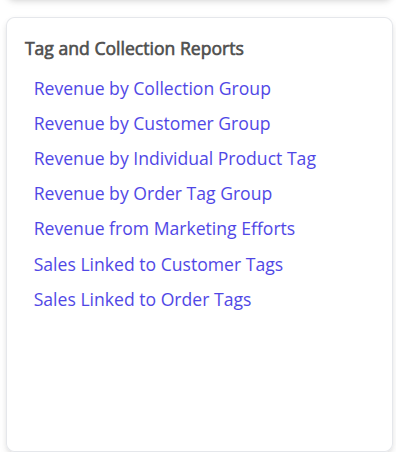
- 🏷️ Tag and Collection Reports
Evaluate how your product tags and collections perform.
See which groupings drive engagement and conversions to fine-tune your merchandising strategy.
🪄 How to Generate a Report from Preset Templates
Let’s use Inventory Reports as an example:
-
Navigate to the Inventory Reports tab in the Preset Reports library.
-
Select Collection-Based Inventory from the list of available templates.
-
The report will automatically load — give it a few moments to process your Shopify data.
-
Once generated, click Save to store it under Reports.
-
Your saved reports will always be accessible in the Reports section from the navigation panel.